
MDMongoose is not released yet. We are working to give it to you as soon as possible. Stay tuned. Contact us if you want to be updated!
One hierarchy
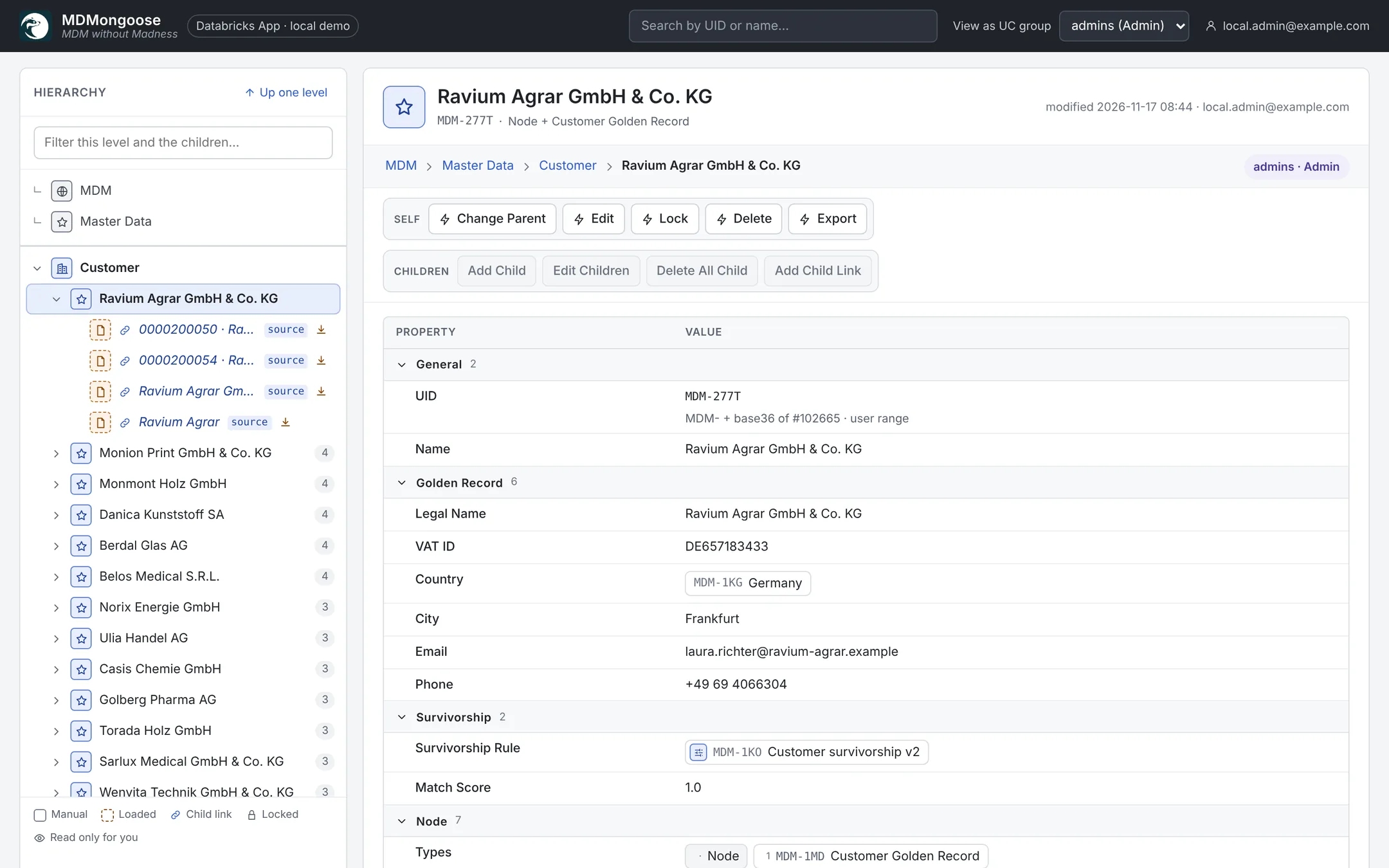
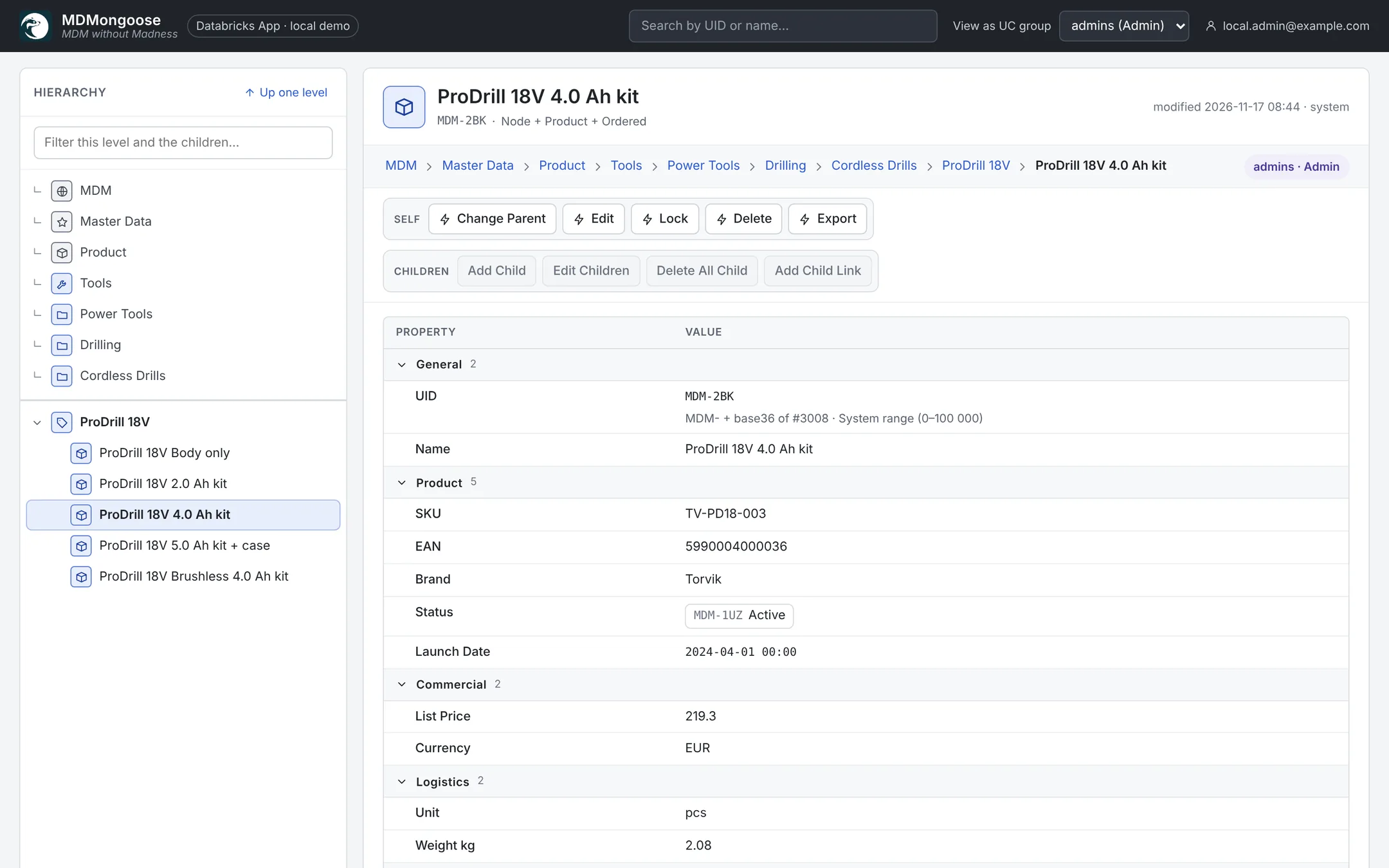
Everything is in hierarchy
Reference data, source records, golden records, NodeTypes, rules and permissions all live in the same hierarchy. Types work like interfaces: a node shows the union of the properties of all its types, grouped and ordered the way you define them.
- Easy to organise, manage and search for data
- Flattening is a core feature for easy modification and export
- Unmatched flexibility in customization: hierarchy structure, actions, properties and NodeTypes
Child Editor
Edit hundreds of nodes like a spreadsheet
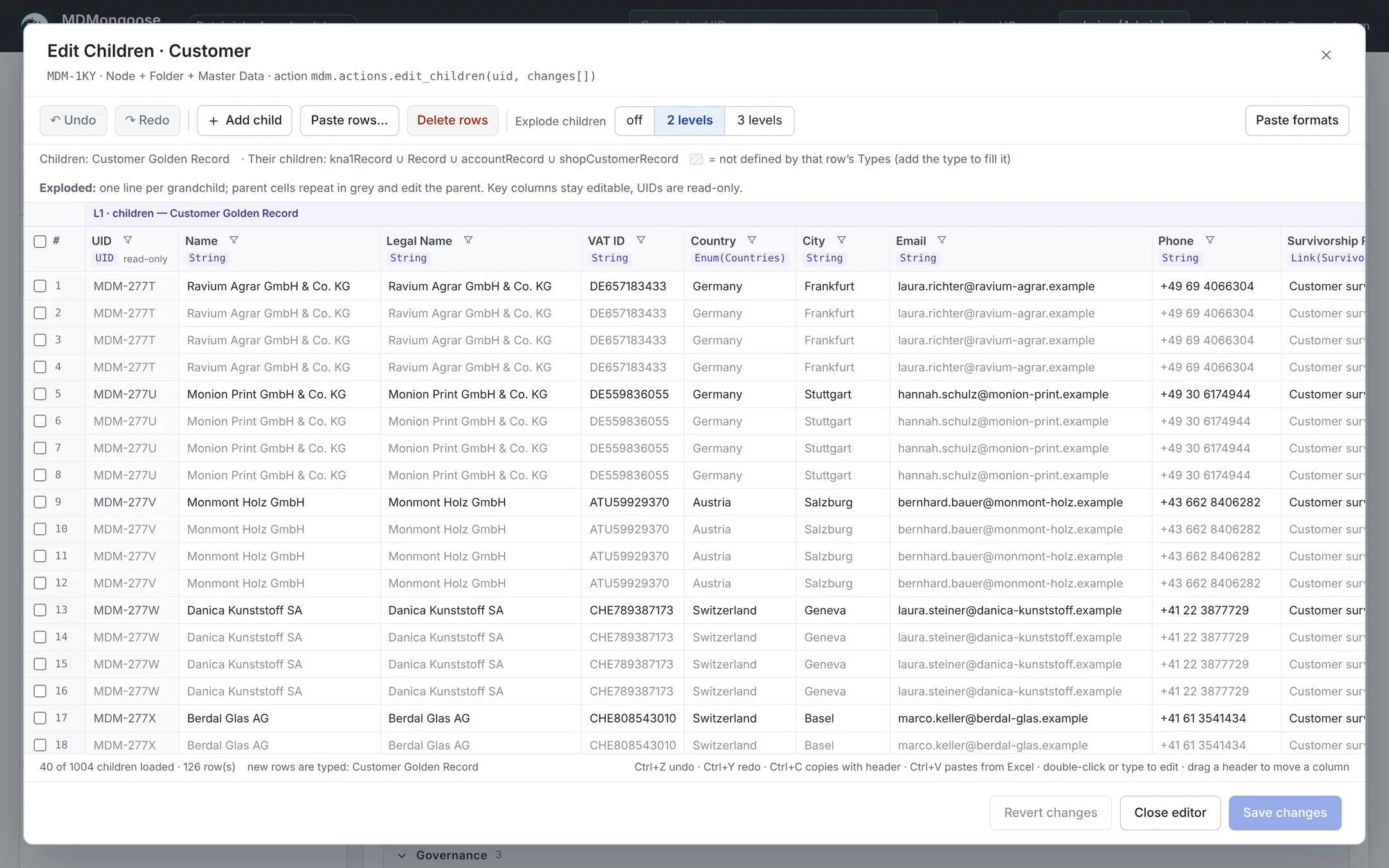
The Edit Children grid opens every child of a node in an Excel-like table. Explode it to see grandchildren, paste from Excel, sort and filter on the server — and nothing is saved until you click Save, as one transaction.
- Copy with headers, paste rows; Enum and Link values by name
- Invalid cells turn red and block Save; Undo / Redo with Ctrl+Z / Ctrl+Y
- Column filters list the values of all children, not just the loaded page
Databricks native
Runs entirely inside your Lakehouse
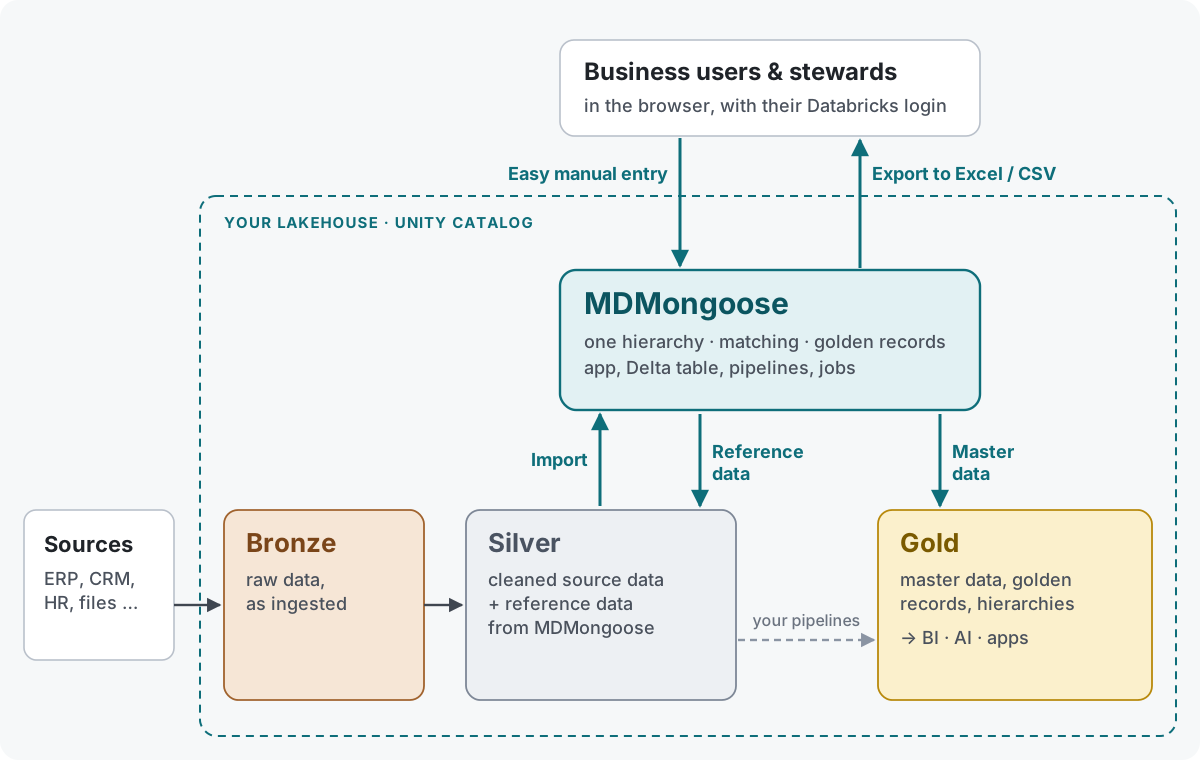
MDMongoose sits between your silver and gold layers. It imports cleaned source data from silver, gives reference data back to silver and publishes governed master data to gold, while business users and stewards work in an easy web app. The UI is a Databricks App, the data a Delta table in Unity Catalog, loads and exports Spark Declarative Pipelines — your data never leaves the lakehouse.
- Users sign in with their Databricks identity; Unity Catalog groups drive permissions
- Deploy from a Git folder with one click, or with the Databricks CLI
- No extra database, cache or server to operate
Incremental SDP processing
Only changes move — at any scale
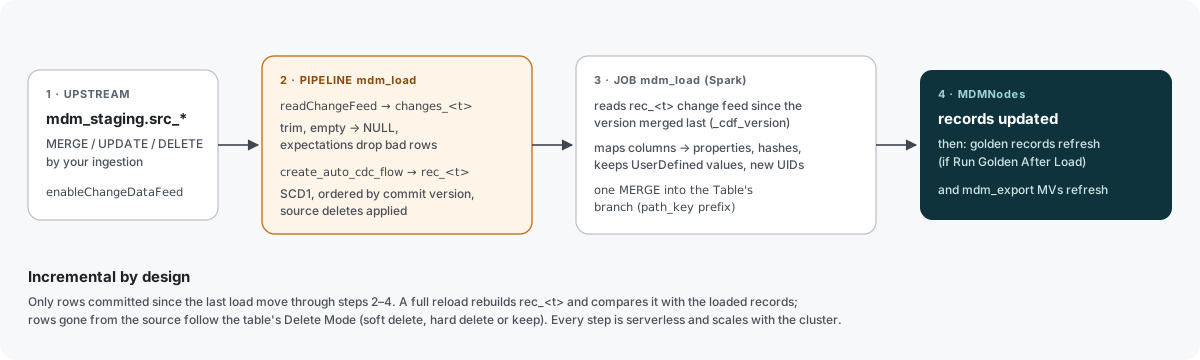
Sources are Delta tables with change data feed. The load pipeline applies new commits with AUTO CDC and expectations, then a distributed Spark MERGE writes only the changed records into their branch of the hierarchy, keeping every value a user overrode.
- Incremental (change data feed) or full reload per table, on a schedule or on demand
- Data-quality rules drop bad rows before they reach master data
- The table is clustered by path, so a load touches only its branch
Matching & survivorship
Golden records you can explain
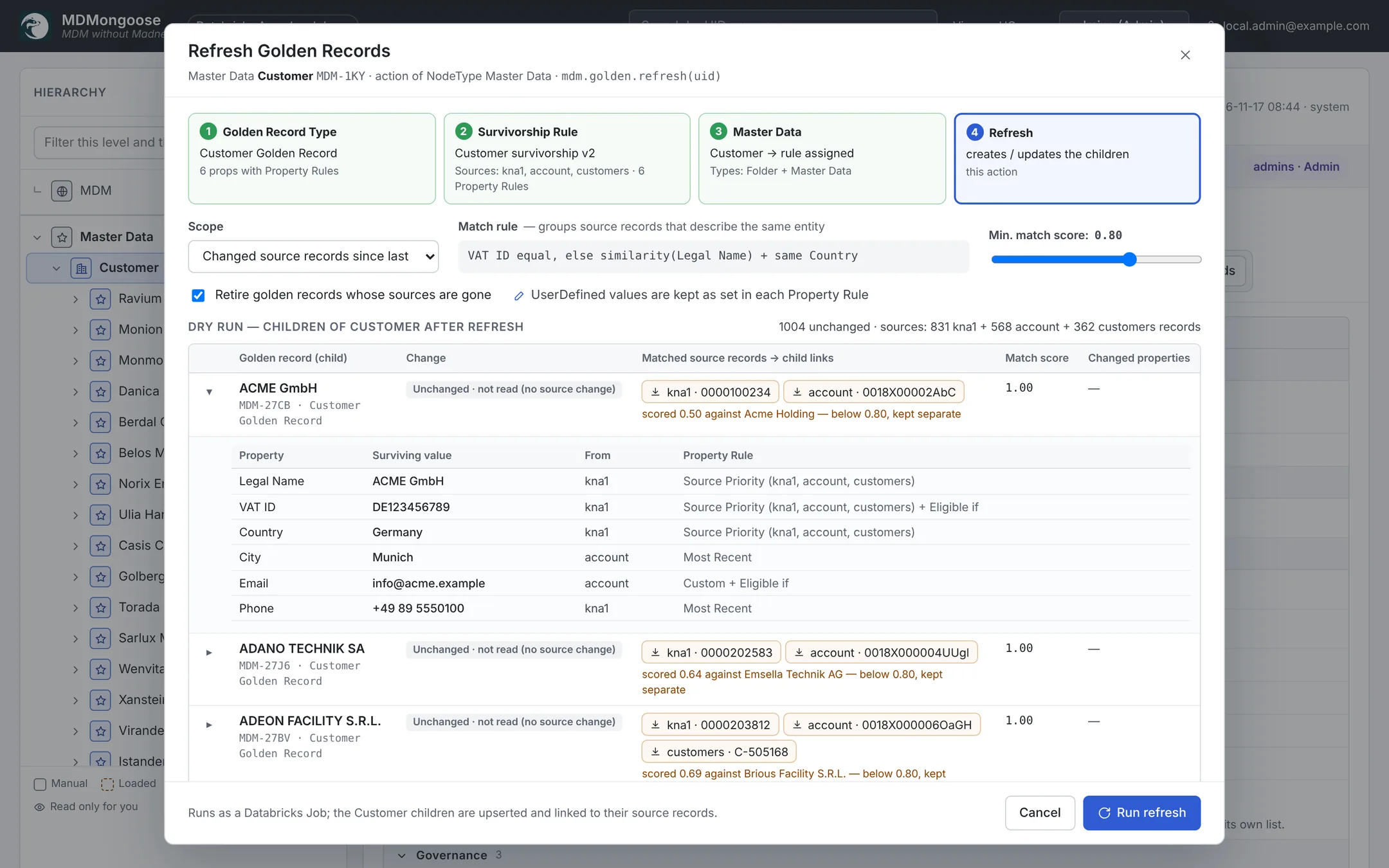
Match on keys such as VAT ID, then on a fuzzy name within the same country. Every property has its own survivorship rule: source priority, most recent, or your own Python function — with a dry run that shows which record won and why.
- Golden records stay linked to their source records
- Stable golden UIDs across refreshes; retire records whose sources are gone
- Values set by people win over automatic updates (UserDefined)
Export
CSV, Excel and materialized views
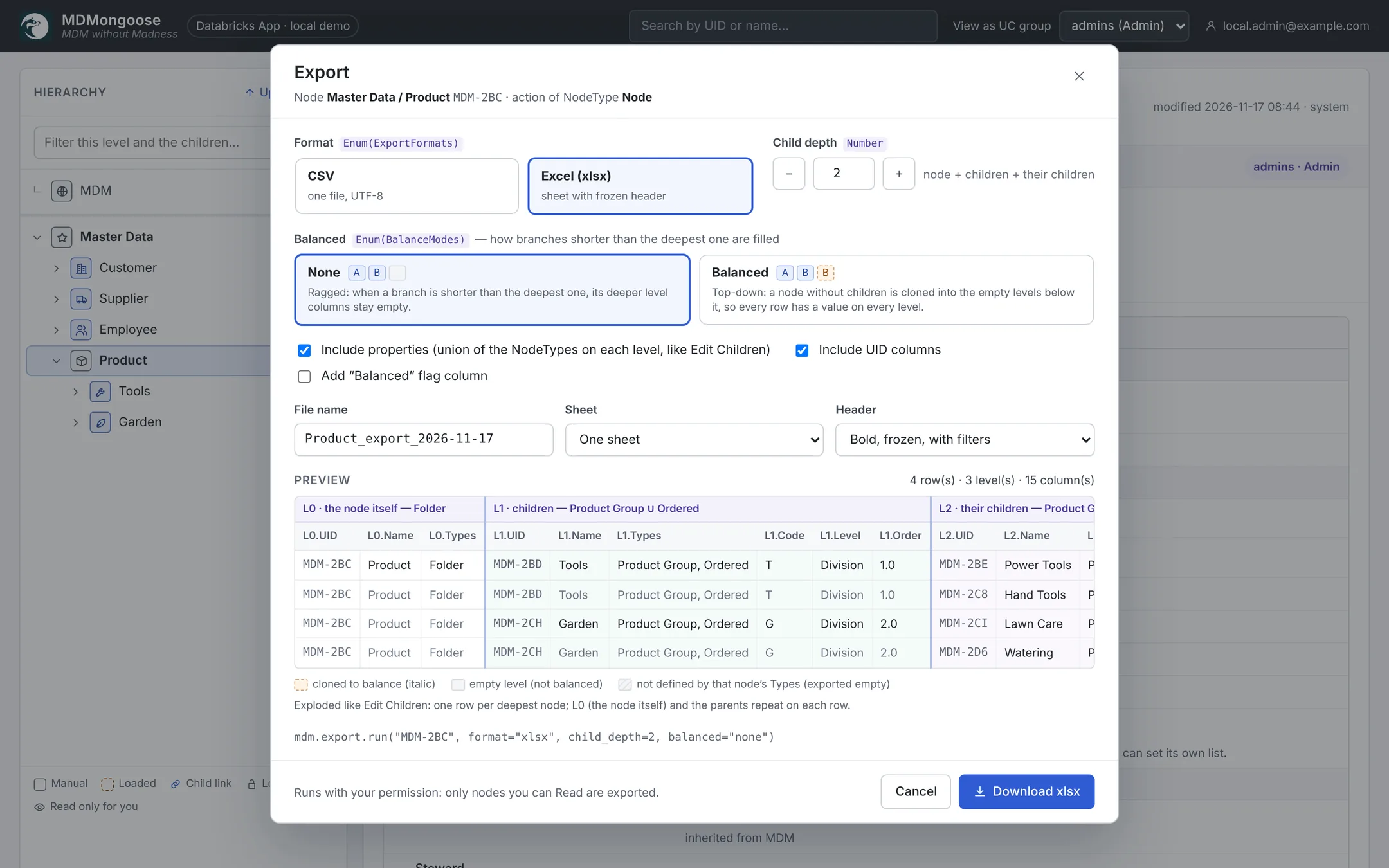
Download any branch as CSV or a styled Excel workbook straight from the app, with a live preview. For everything downstream, Export nodes publish a branch as a materialized view (refreshed incrementally), a view or a file on a volume — next to ancestor pairs and full history in Unity Catalog.
- Choose depth, balanced or ragged branches, columns and file options
- Export nodes keep materialized views, views and files up to date
- node_history keeps an SCD2 history of every node
Support & contact
Documentation
Deployment, the user guide, importing data, golden records, security and monitoring.
Open the docs →Questions & issues
Found a bug or have an idea? Open an issue in the GitHub repository — it is the quickest way to reach us.
Open an issue →Contact us
Planning a rollout, need help with your hierarchy design or want to talk about support? Write to us.
hello@i4e.hu →