Creating master data
Golden records combine the records of several sources into one trusted record per real-world entity — one customer, one supplier, one employee — no matter how many systems know it and how differently they spell it.
How it works
A refresh runs three stages, every time on all source records of the rule (or only the changed ones):
- Matching decides which source records describe the same entity: equal keys such as the VAT ID, then similar names within the same country. → Matching
- Survivorship decides, property by property, which source value goes into the golden record: the most trusted source, the most recent value, or your own function. → Survivorship rules
- Writing creates, updates or retires the golden records under the Master Data node, keeps their UIDs stable and links each one to its source records. → Master data records
The building blocks
| Node | Where | What it defines |
|---|---|---|
| Golden record type (a NodeType) | Model › NodeTypes | The properties of the golden record: Legal Name, VAT ID, Country … |
| Survivorship Rule | Model › Rules | The sources, the matching settings, and one Property Rule per golden property |
| Master Data node | Master Data | Where the golden records live; points to the rule |
| Table nodes | Reference Data | The loaded source records — see Importing data |
The demo has three complete setups to learn from: Customer (3 sources), Supplier (2) and Employee (2). See Demo on Free Edition.
Step by step
- Load the sources — every source is a Table node with loaded records. → Importing data
- Define the golden record type — below.
- Create the survivorship rule, with its matching settings and property rules. → Matching, Survivorship rules
- Create the Master Data node and refresh it. → Master data records
Define the golden record type
-
Go to Model › NodeTypes, click Add Child and switch to the NodeType tab.
-
Name it, e.g.
Customer Golden Record, and pick an icon. -
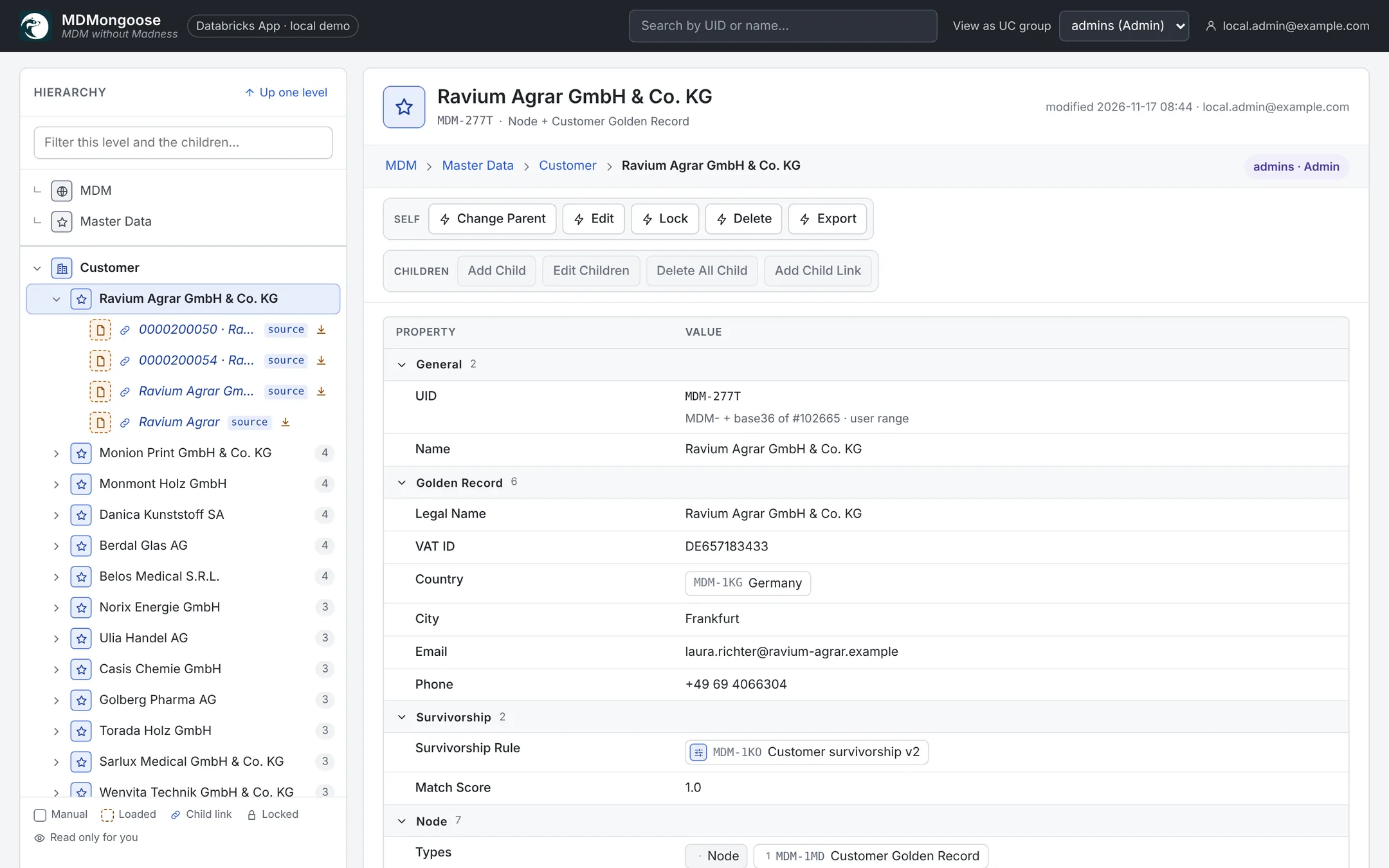
Add the properties the golden record should have, for example:
Property PropertyType Group Legal Name String Golden Record VAT ID String Golden Record Country Enum(Countries) Golden Record City String Golden Record Email String Golden Record Phone String Golden Record Survivorship Rule Link(Survivorship Rule) Survivorship Match Score Float Survivorship -
Click Create NodeType.
A few names have a meaning for the refresh:
- Legal Name (or else Name) is the property compared by fuzzy name matching.
- Country separates the fuzzy comparison: only records of the same country are compared.
- Survivorship Rule and Match Score are filled by the refresh when the type has them.
Values that a survivorship rule picks are checked against the property's PropertyType — a Country value must resolve to a value of the Countries enum (see Enum, Link and Array); a value that does not is reported as a conflict and not stored.