Enum, Link and Array
Most properties hold plain values: text, numbers, dates, booleans. Three PropertyTypes hold references to other nodes instead. They are what turns a pile of records into connected master data: a customer points to its country, a product points to its status, a survivorship rule lists its sources.
| PropertyType | Holds | Picks from | Typical use |
|---|---|---|---|
| Enum(X) | one node | the children of the enum list X | Country, Status, Load Mode |
| Link(X) | one node | every node that has the NodeType X (or any node for Link(Node)) | Parent account, Survivorship Rule, Record Type |
| Array(X) | an ordered list of nodes | every node that has the NodeType X | Sources, Allowed Child Type, Steward |
| Array(String) | an ordered list of text values | free text | Match Keys, Expectations, Keys |
All three store UIDs, not names. Renaming a country therefore updates every customer that points to it, and two nodes with the same name never get mixed up.
Enum — a value from a fixed list
An enum is a short, controlled list of values. Any node with the NodeType Enum is an enum list: its
children are the values, each with its UID and Name, in their Order. A property of type Enum(<list name>) offers exactly those children.
The demo has several, for example:
| Enum | Where | Values |
|---|---|---|
| Countries | Reference Data › Countries | Hungary, Germany, Switzerland, Austria, Czechia, Slovakia, Romania |
| ProductStatus | Model › Enums | Active, Phase-out, Discontinued |
| PermissionLevels, Strategies, LoadModes, ExportTypes, … | Model › Enums | the options of the system's own settings |
In the app
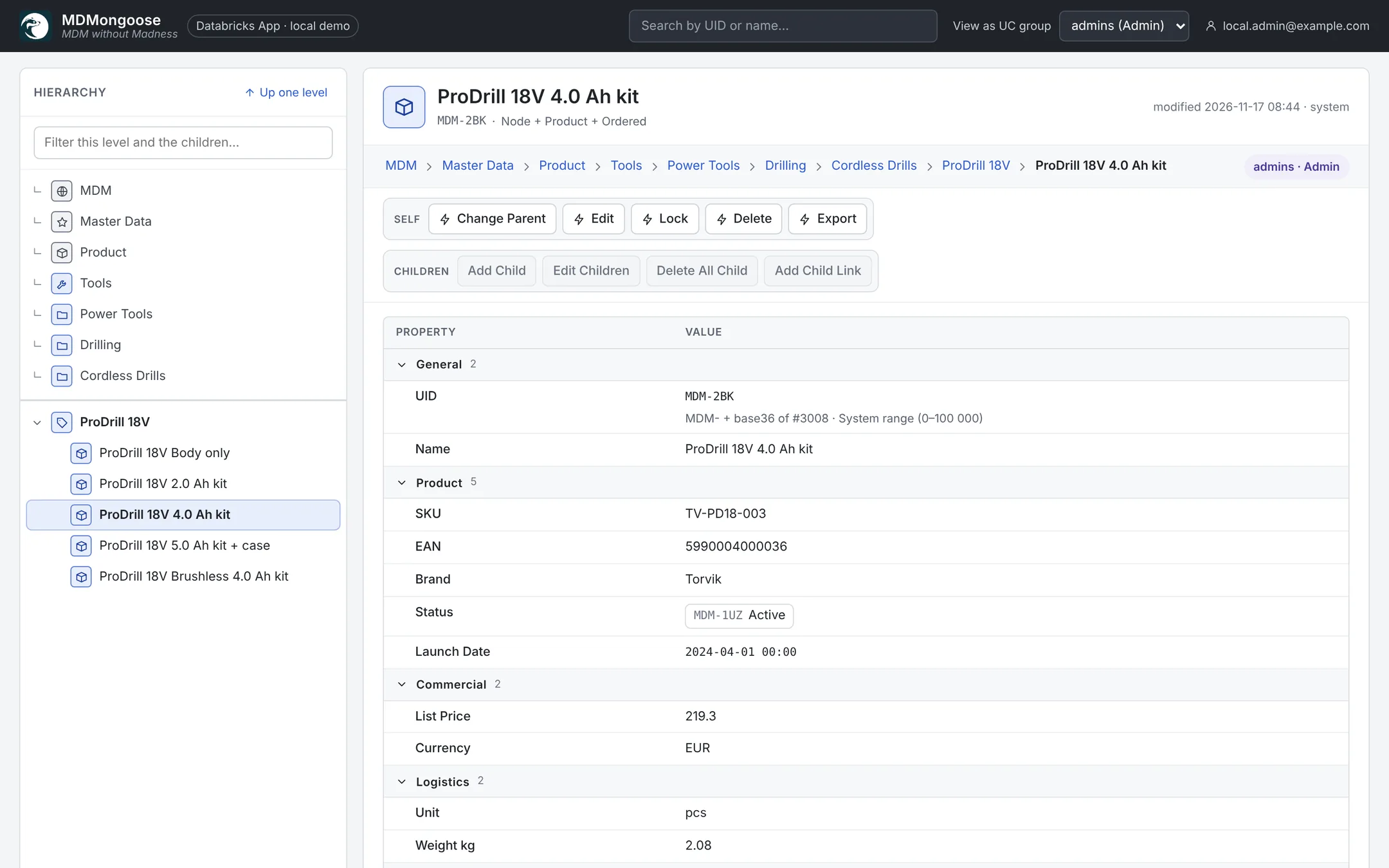
- Read mode shows the value as a chip — click it to open the value's node.
- In Edit the property becomes a dropdown with every value of the list (
UID — Name). - In the Edit Children grid and on paste, type the value's name (any case) or its UID.
Create an enum list
- Choose where the list lives — usually Model › Enums, or next to the data it describes (the demo keeps Countries under Reference Data).
- Click Add Child, select the types Folder and Enum, and name it, e.g.
Regions. - Add the values: on the new node, Add Child (type Ordered, or your own type) for each value —
EMEA,APAC,Americas— or paste them all at once in Edit Children. Order sets their position. - Use it: in a NodeType, add a property with the PropertyType Enum and the parameter Regions.
Turning an existing folder into a list works the same way: Edit it and add Enum to its Types. Removing the type makes it an ordinary folder again; NodeTypes can then no longer refer to it.
Values can carry their own properties: the Countries values have the type Country with Alpha2, Alpha3 and Currency.
Removing a value — delete its node. Nodes that use the value are not changed — see When a referenced node is deleted. To retire a value safely, first move its users to another value (Edit Children, filter on the old value, paste the new one), or keep the value and rename it.
Link — a reference to one node
A Link points to exactly one node. Its parameter is the NodeType of the target:
Link(Survivorship Rule)offers only survivorship rules;Link(NodeType)offers the NodeType definitions;Link(Node)accepts any node — the picker then searches the whole hierarchy by name or UID.
In the app
- Read mode shows the target with its icon and UID; click it to go there.
- In Edit, click Choose… (or Change…), type part of the name and pick the node. × clears the link.
- In the grid and on paste, type the target's name or UID. If two candidates share the name, the cell turns red — use the UID.
A Link is not the same as a child link (the Add Child Link action). A child link shows a node in a second place of the tree; a Link property is just a value that points somewhere.
Array — an ordered list
An Array holds several references, in order. The order matters wherever it is used for ranking: the Source Priority of a property rule, the Steward list, the Types of a node.
Array(Table),Array(NodeType),Array(Permission)… — a list of nodes of that NodeType.Array(String)— a list of text values, e.g. Match Keys =VAT ID, or the Expectations of a table.
In the app
- Read mode shows a numbered list of chips.
- In Edit, + Add… opens the picker; ↑ / ↓ reorder an item and × removes it. For
Array(String)type a value and press Enter. - In the grid and on paste, separate items with a comma or semicolon:
Germany, Austria. Quote a text value that contains a comma:"Smith, John", Doe. - The same node is never listed twice; duplicates are dropped when you save.
Defining these properties on a NodeType
When you create or edit a NodeType (Model › NodeTypes), pick the PropertyType and fill in its parameter:
| PropertyType | Parameter | Example |
|---|---|---|
| Enum | the name of the enum list | Countries → Enum(Countries) |
| Link | a NodeType name, Node or NodeType | Customer Golden Record |
| Array | a NodeType name, Node, NodeType or String | Table, String |
The app checks the parameter when you save: an Enum needs an existing enum list, a Link or Array an existing NodeType.
When a referenced node is deleted
Deleting a node never touches the properties that point to it: there is no cascade and no warning. Enum, Link
and Array values are UIDs, and they keep the UID of the deleted node. Deleting in MDMongoose is a soft
delete, so the deleted node is still in MDMNodes (with is_deleted = true), and the app can still read
its name.
| Where | What you see |
|---|---|
| Read mode (Properties) | The old value, with its old name and icon, as if nothing had happened. |
| Edit — Enum dropdown | The deleted value is no longer offered. This takes up to 30 seconds, until the app's definition cache refreshes. |
| Edit — Link picker, Array items | Deleted nodes are not offered and cannot be searched. |
| Saving the node | Saving works as long as you do not change that property. If you set it again (or save an Array that still contains the deleted item), the save is refused with '…' not found in …; pick another value or remove the item. |
| Edit Children grid | The cell shows the old name. Editing that cell needs a live value. |
| Export dialog (CSV / Excel) | The old name. |
| Export nodes (view / materialized view) | An empty value: the view only joins live nodes. |
MDMNodes, mdm_export.nodes | The UID. A join to node_index finds nothing. |
| Steward lists | A deleted Permission node grants nothing. On a lower, narrowing list the group counts as not listed, so it loses access in that branch. |
| Golden-record refresh | A golden property whose current value is a deleted Enum value is reported as a conflict when the source value can no longer be resolved; the old UID stays (see below). |
The same applies to Delete All Child and to deleting a whole subtree: every reference into the deleted branch keeps its UID.
Finding references to a deleted node
Before you delete a value, check who uses it. Afterwards, use the same query to find what to repair:
-- live nodes whose Country points to a deleted node
SELECT n.uid, n.name, variant_get(n.properties, '$.Country', 'string') AS country_uid
FROM workspace.mdm_core.mdmnodes n
JOIN workspace.mdm_core.mdmnodes ref
  ON ref.uid = variant_get(n.properties, '$.Country', 'string') AND ref.is_deleted
WHERE NOT n.is_deleted;
Fix the nodes in Edit Children: filter the column on the old name, select the cells and paste the new value.
Values that do not resolve — loads and golden records
A text value becomes an Enum or Link value only when it resolves: it must be either the name of a live
value of the list (case-insensitive, an exact match) or its UID. germany resolves to Germany; DE,
Deutschland or Germany with a stray character do not. A name shared by two values is ambiguous.
During a load (source records)
A load does not resolve or check values. It copies each mapped column into the record's property as text, whatever the PropertyType:
- A record whose type defines
CountryasEnum(Countries)getsCountry = "DE"or"Atlantis", exactly as the source sends it. The load does not fail, and nothing is dropped or reported. - The app shows that text in read mode. The Enum dropdown has no matching value, and saving the property needs a valid value.
- An Export node's view or materialized view shows an empty value, because the text is not a UID.
That is why source Record types use String properties, as the demo does with LAND1 and
BillingCountry. Keep source data as the source sends it, and resolve it into Enums on the golden record,
where every value is checked. To reject unexpected codes already at the load, add an
expectation to the Table node, e.g.
LAND1 IN ('HU', 'DE', 'CH', 'AT', 'CZ', 'SK', 'RO'). Rows that fail it are dropped and counted.
During a golden-record refresh
Survivorship picks the winning text for each property, then resolves it into the golden property's type.
If the golden property is Enum(Countries) and the winner is "DE":
- The value is not stored. The refresh does not fall back to the next source's value.
- The golden record keeps its previous value. A new golden record leaves the property empty.
- The rest of the golden record (other properties, source links, Match Score) is written normally. One unresolved value never stops the refresh.
- The dry run lists it under Conflicts (
Country: 'DE' ('DE' not found in Countries)), and the value row says not stored. The job output of a refresh counts the conflicts too.
An Array value is stored only if every item resolves; one unknown item makes the whole value a conflict.
How to fix it — pick whichever fits:
- Add the missing value to the enum list (for example Atlantis under Countries), then refresh again.
- Make the sources send the name: normalise the staging column, e.g. map country codes to names in the
view or job that fills
src_<name>. - Skip unusable values with Eligible if on the property rule, so the next source's value can win, e.g.
value RLIKE '^(Hungary|Germany|Austria)$'orlength(value) > 2. See Survivorship rules. - Set the value by hand on the golden record. It becomes UserDefined and wins over later refreshes.
In exports and views
- CSV and Excel exports write the names (arrays comma-separated), exactly as the grid copies them.
- Export nodes of type Materialized view or View write the names of Enum and Link values too (the view joins the referenced node); arrays are comma-separated text. See Exporting with materialized views.
- In
MDMNodesandmdm_export.nodesthe values are UIDs, so joins stay exact; joinmdm_export.node_indexto get the names:
SELECT n.name, country.name AS country
FROM workspace.mdm_export.nodes n
LEFT JOIN workspace.mdm_export.node_index country
  ON country.uid = variant_get(n.properties, '$.Country', 'string')
WHERE array_contains(n.types, 'MDM-1MD');   -- Customer Golden Record